


Zepto Sign Customizer
- 定價
-
每月 $14.99 起。 提供免費試用。
- 評分
- 5.0 (3)
- 開發者
- Zepto Apps
主要圖片圖庫


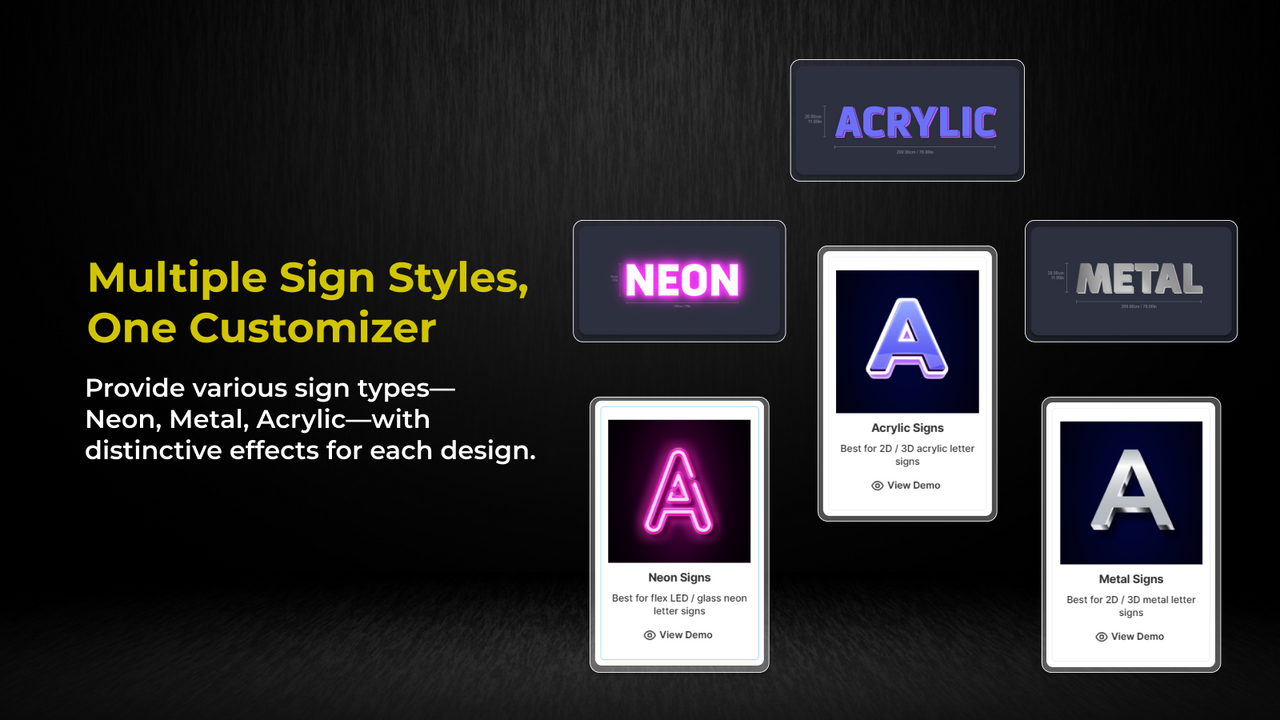


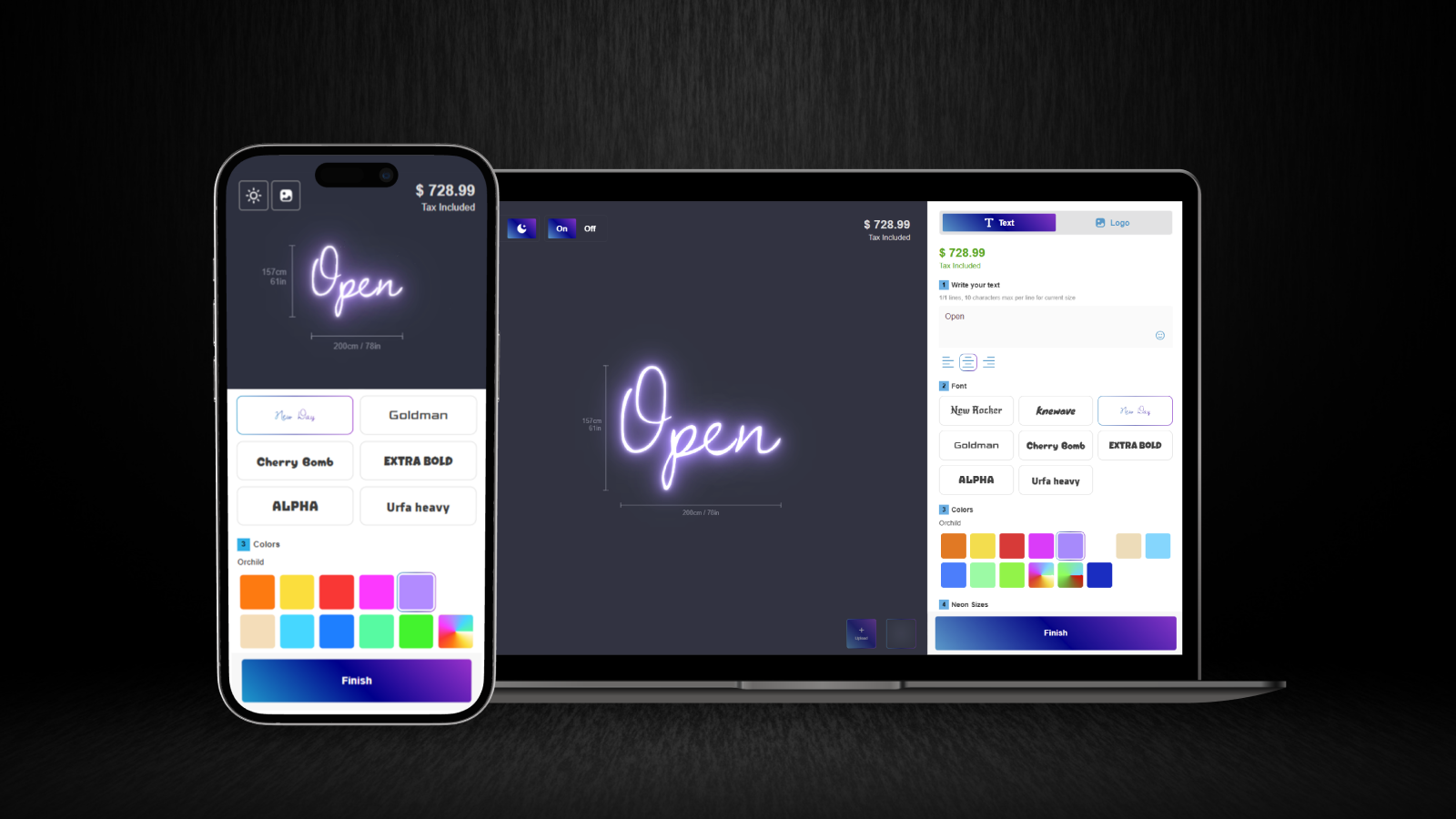


Sell all types of custom signs with complete design and style customization.
Empower customers to design personalized Neon, Acrylic, or Metal signs with an intuitive tool. Provide multiple selections of fonts and colors, sizes, and materials with accurate live previews. Ensure precise dimensions and volumetric weight calculations, reach a global audience with multi-currency and multi-language support, and collect logos and details via a custom quote form. Streamline workflows, boost engagement, and deliver exceptional value through this all-in-one custom sign solution.
- Realistic sign preview with options and practical width and height measurement
- Dynamic pricing for fonts, colors, sizes, and volumetric shipping costs.
- Multi-currency and multi-language support to expand your reach worldwide.
- Customize further with backboards, materials, mountings, and custom options.
- Collect logos, ideas, and details from customers through a submission form.
語言
英文
這項應用程式尚未翻譯成繁體中文
可與以下項目搭配使用
- 結帳頁面
- Shopify 管理介面
定價
Starter
$14.99 /月
功能
- All Features Included
- Unlimited customizers
- Up to 5 attributed orders per month
- $2.50 per extra order, up to $99.99
14 天免費試用
Growth
$29.99 /月
功能
- All Features Included
- Unlimited customizers
- Up to 15 attributed orders per month
- $2.00 per extra order, up to $99.99
14 天免費試用
所有費用均以 USD 計價。 定期費用和依使用量計費方案,均以 30 天為週期收費。
They are professional, highly responsive, and definitely worth a try.
Assistenza TOP!!
fabulous application!!!
支援服務
App 支援由 Zepto Apps 提供。
資源
開發者無法直接以繁體中文提供支援。
開發者
發布日期
2025年5月6日
資料存取權
這項應用程式需要存取以下資料,才能在商店中正常運作。 原因請參閱開發者的隱私權政策 。
檢視顧客資料:
裝置與活動資料
-
裝置與活動資料
地理位置、 IP 位址、 瀏覽器與作業系統
檢視員工與協作者資料:
商店擁有人
-
商店擁有人
姓名、 電子郵件地址、 電話號碼、 實體地址
檢視與編輯商店資料:
產品、 訂單、 Shopify Functions、 線上商店
-
編輯產品
產品, 商品在銷售管道上的發布、 商品系列
-
編輯訂單
訂單草稿、 過去 60 天內的所有訂單記錄
-
編輯 Shopify Functions
購物車轉換
-
檢視線上商店
佈景主題
-
檢視其他資料
語言代碼、 地點
其他同類型應用程式


符合我們成效、設計和整合層面的最高標準。 深入瞭解「在新視窗中開啟」

符合我們成效、設計和整合層面的最高標準。 深入瞭解「在新視窗中開啟」

符合我們成效、設計和整合層面的最高標準。 深入瞭解「在新視窗中開啟」

