


추천 이미지 갤러리


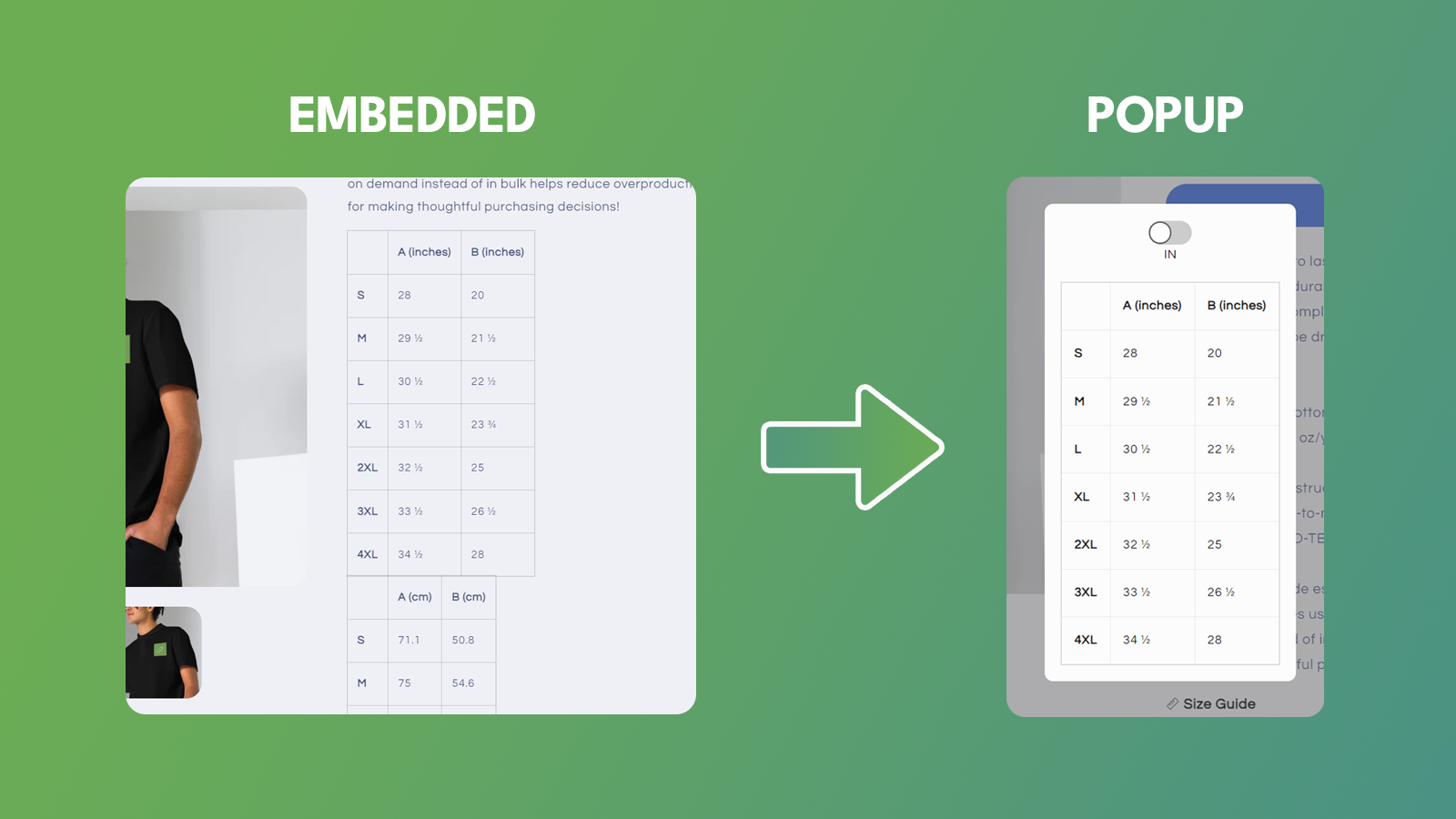


Turn your current embedded Printful Size Table/Size Chart into a popup.
Introducing our innovative Shopify app designed to simplify the shopping experience for merchants and their customers. Our app streamlines the way users interact with size charts when using Printful. By default, Printful users get size charts embedded into their product descriptions. This can often clutter the product page and create a less-than-ideal user experience. Our app solves this problem by automatically creating a button that when clicked, opens a popup with the size chart inside.
- Customizable colors.
- Unit switcher functionality.
- Automatically converts all embedded size charts into a popup.
- Customizable placement of the "Size Chart" button.
- Custom CSS.
언어
영어
이 앱은 한국어로 번역되지 않았습니다
다음과 호환:
- Shopify 관리자
- Printful
범주
요금제
Premium Plan
$2.99 /월
또는 연 $29.99 및 16% 할인
기능
- One-click Installation
- Unlimited Size Charts
- Full Style Customization
- Customizable widget position
- Custom CSS
7일 무료 체험
모든 비용은 USD(으)로 청구됩니다. 반복 요금 및 사용 기반 요금은 30일마다 청구됩니다.
리뷰 (4)
- 평점의 100%가 별 5개입니다
-
평점의 0%가 별 4개입니다
-
평점의 0%가 별 3개입니다
-
평점의 0%가 별 2개입니다
-
평점의 0%가 별 1개입니다
What a simple, elegant solution to the problem of dealing with Size Charts on product pages in your store! No more clutter, fuss or muss. And the price point is well worth it. It gets the job done. Also, as this is a pretty new app, feedback will only make it better for the developer to make further enhancements. I'll even make one now: The Size Chart button/link needs a control to be able to center it in the page area it resides. As I'm a part-time web dev hacker as well (lol), I fixed it with some custom CSS code in the Custom CSS section for the product page. Here it is:
a#size-guide-link {
margin-block: 15px;
display: inline-block;
width: fit-content;
border-bottom: 0;
text-decoration: underline;
}
Another suggestion is to have an option to use a configurable button instead of a Text Link (as it currently uses). Button color and Button Text color configurable.
The bottom line is, it works great with Printful as your POD provider. I've talked to the Developer to get this app to work with Customcat (another POD provider) as I have an account with them too.
I hope this helps you. If nothing else, give the Free Trial a spin and see if it meets your needs. It does mine, all day long 365 and 24/7!
Very happy with this app! It greatly improved the user experience. Emil provided quick customization support, making size chart accessible next to size options - so sleek!
Very easy setup for printful size guides! Emil was quick to provide all the support I needed. Great job! Keep it up!
지원
앱 지원은 Kodence에서 제공합니다.
이 앱과 비슷한 더 많은 앱 보기




성능, 디자인, 통합 면에서 모두 최고 수준을 자랑합니다. 새 창에서 열기 자세히 알아보기

