


Smarketly Page Builder Editor
Galleri med utvalda bilder


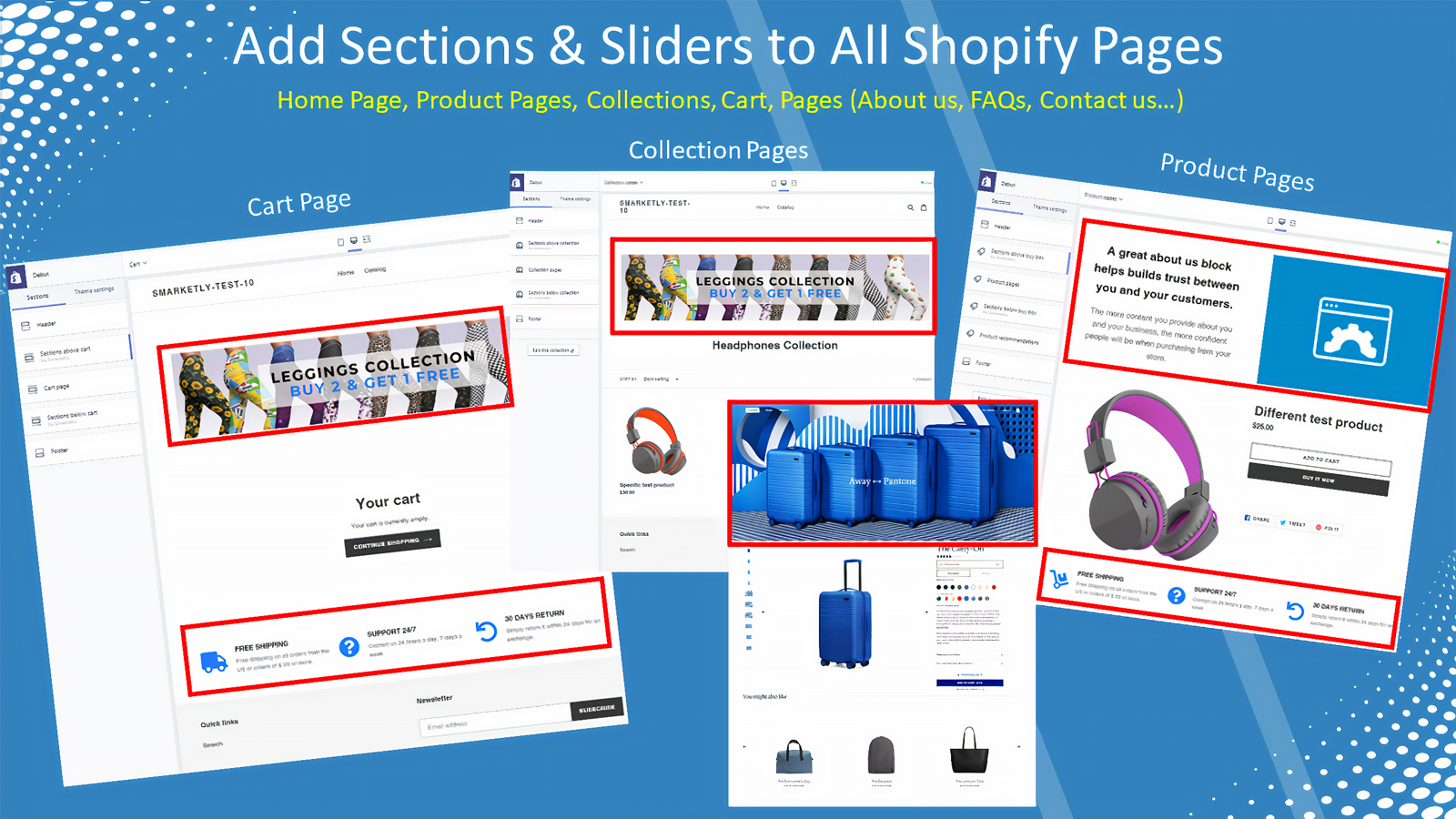


Anpassa alla dina temasidor till snygga försäljningssidor. Dra och släpp avsnitt på alla sidor.
# Skapa försäljningssidor, kampanjbanderoller, säljtrattar och landningssidor enkelt i Shopify. Med Smarketly Page Builder Editor kan du anpassa dina sidor snabbare, helt utan designer eller utvecklare. Öka din lönsamhet och konvertering – gör varje produktsida till en försäljningssida. * Obegränsat antal sidor, avsnitt, bildspel och visningar * Regelbaserat för enskilda produkter, sidor eller kollektioner * Sömlös integration med flexibel stilhantering * Fungerar direkt – inga nylanseringar eller komplicerad utveckling krävs
- Dra och släpp-verktyg för att anpassa försäljningssidor och säljtrattar, eller skapa från grunden
- Lägg till informativt innehåll eller kampanjer för att öka värdet och förbättra konverteringen
- Öka intäkterna med paket, kampanjer eller tilläggsprodukter på alla temasidor
Innehåller automatöversatt text
Språk
engelska
Denna app finns inte översatt till svenska
Kategorier
Innehållstyper
Priser
Gratis
Gratis
Funktioner
- 6 gratis avsnittstyper
- Specialavsnitt för jämförelse av multipaket
- Bygg landningssidor med och utan sidhuvud/sidfot
- Publicera på valfri sida
- Obegränsat antal visningar
Starter
$9.95 /månad
Funktioner
- Alla alternativ från Gratis-planen
- Popup-fönster för att samla in leads
- Alla avancerade avsnittstyper
- Publicera på alla sidor
- Bygg landningssidor med och utan sidhuvud/sidfot
Prova gratis i 30 dagar
Growth
$19.95 /månad
Funktioner
- Alla alternativ från Starter-planen
- Merförsäljning i varukorgen
- Merförsäljning i popup-fönster
- AI-rekommenderade produkter
- Publicera på alla sidor
Prova gratis i 30 dagar
Pro
$29.95 /månad
Funktioner
- Alla alternativ från Growth-planen
- Merförsäljning efter köp
- Publicera på alla sidor
Prova gratis i 30 dagar
Innehåller automatöversatt text
Alla avgifter debiteras i USD. Återkommande och användningsbaserade avgifter faktureras var 30:e dag.
Recensioner (14)
The app didn't work well for me. How do i remove all the code after it was deleted? I still see the app on my editor.
Hey little flower pet store,
We'll be happy to assist you with solving this for your store, we're offering a solid tool that will remove the code from your theme with a click of a button.
We've sent you a direct message with all the information.
We are looking forward to hearing from you so we can make this perfect for your store
The app itself is very good and offers a good set of features but I have uninstalled it and was wondering if you could explain which sets of code I need to remove or if you have tool to remove the code.
Hey Ilhaam UK,
Thank you for your lovely review!
We've sent you a direct message with the guide for our tool to remove the code easily.
If you didn't receive our reply or having any issue with the process, please let us know right away - we'll be delighted to assist with anything!
Firstly, I never usually write reviews. However, after I received the best customer service from Smarketly I had to write this one! I had an issue with the placement of reviews on my page.
I wrote to the company who supply the reviews app, and they were pretty useless. I came to Smarketly with the request to help me out (even though they didn't own the review app), and I was hoping that they would have some experience in this field. I wasn't disappointed. I simply gave them staff access, and Constantine (support team member) went in and sorted it for my within hours.
I think it goes a long way, as someone starting a small business you don't want to spend endless hours on something that isn't your speciality. The support that Smarketly offer gives me the confidence that I need in my site.
Thanks again guys, I'm now ready to launch my business!
Support
Appsupport tillhandahålls av Smarketly.
Resurser
Den här utvecklaren erbjuder inte direkt support på Svenska.
Utvecklare
Hativat Hazanhanim 27, Modiin, 7172049, IL
Lansering
10 juni 2020
Fler appar som den här


Uppfyller våra högsta standarder för prestanda, design och integrering. Mer information Öppnas i nytt fönster


