I am using the Dawn theme and I am unable to line up the image and the text so they are more square. The image is set to a square 2400x2400 pix but when I add it to the image and text it goes into a rectangle shape (Top image) I would like it more like the bottom image.
URL: https://pm1d1og5ux7t8u7f-43786535076.shopifypreview.com
This is what it is:
This is what I would like with the image as a square and the text lined up to the top of the image and the button to the bottom of the image:
Hi
In section settings change the height of image where you choose the image and upload a square image as well.
Hit Like and Accept as Solution.
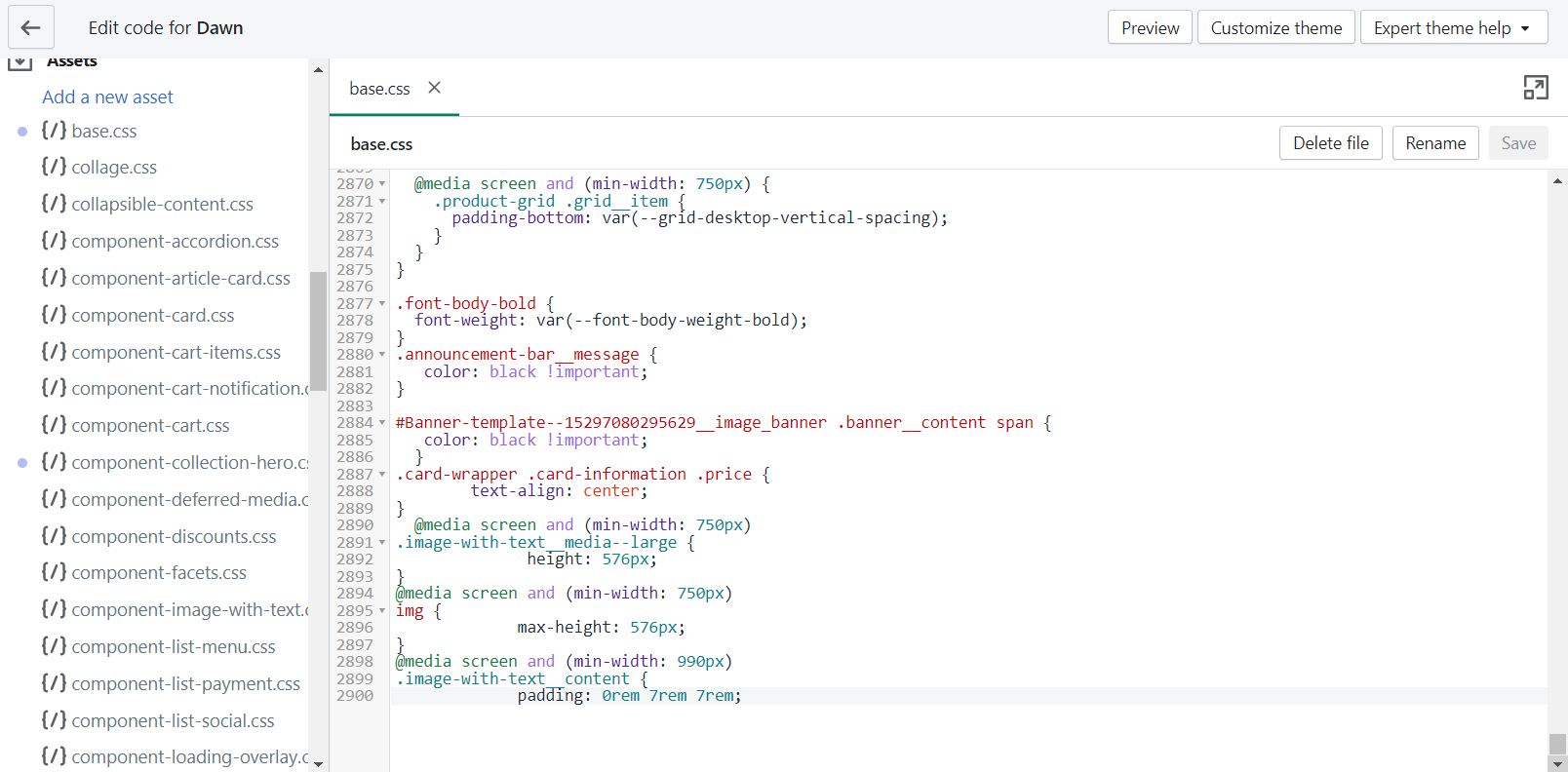
Please add below css code in bottom of assets/base.css file
@media screen and (min-width: 750px)
.image-with-text__media–large {
height: 576px;
}
@media screen and (min-width: 750px)
img {
max-height: 576px;
}
@media screen and (min-width: 990px)
.image-with-text__content {
padding: 0rem 7rem 7rem;
}
Thank you.
@chaletboutique
Please go to Assets/component-image-with-text.css and past below css at bottom of file.
.image-with-text__media
{
min-height: 90% !important ;
}
Thank you so much! That worked for lining up the bottom but not the top of the image to the text. Is there a way to decrease the size of the image so it is lined up with the heading?
https://pm1d1og5ux7t8u7f-43786535076.shopifypreview.com
Hi, Do you know if I can line up the image with the heading? The image is a square but it is being made into a rectangle so it is longer than what it should be.
https://ng9acpa4fjv6uyic-43786535076.shopifypreview.com