Hi there
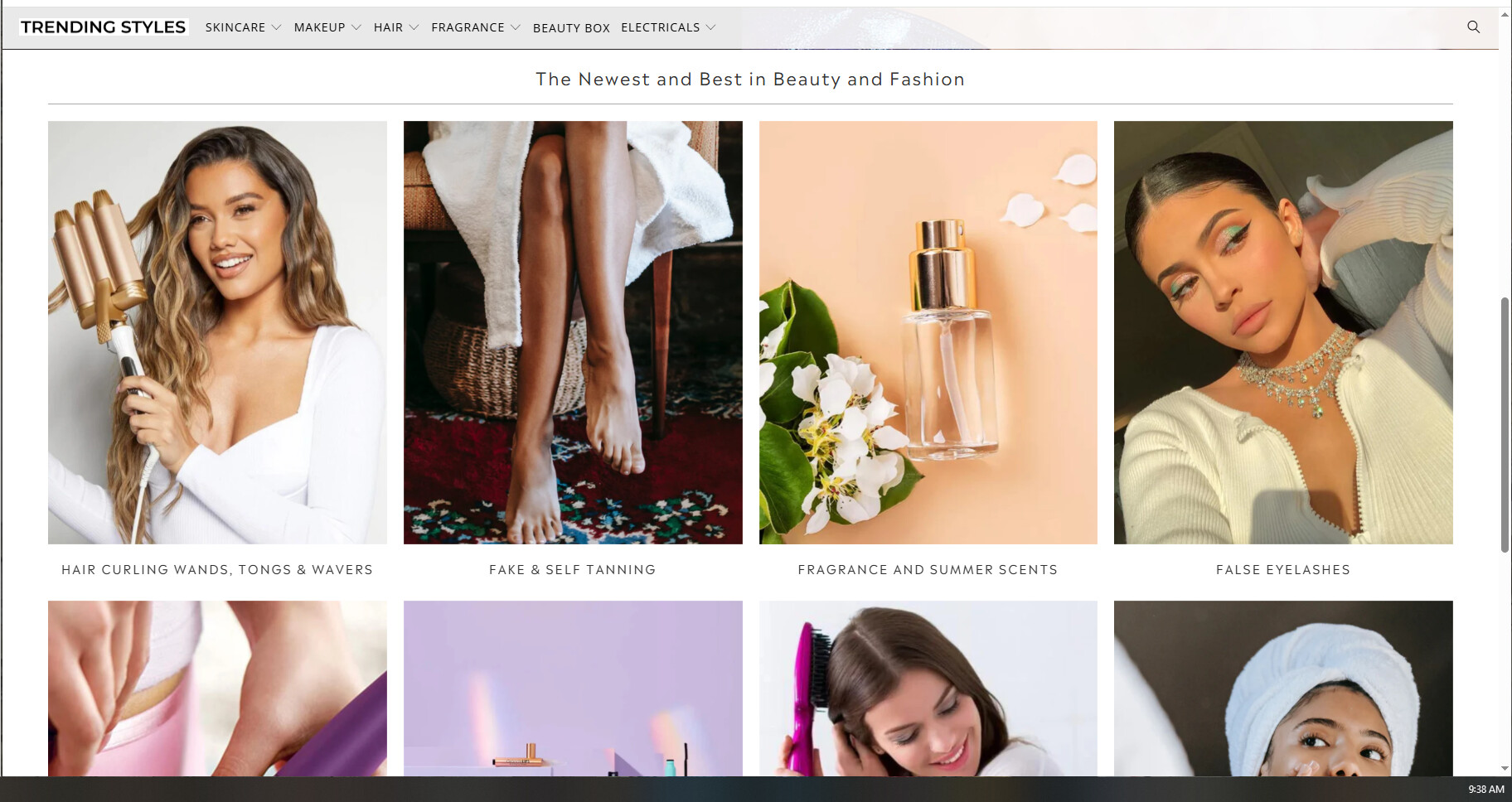
Some sections in the turbo theme e.g. slider and footer have a full width toggle however the collection list section does not have this functionality. Grateful if someone can advise how I edit the code to replicate the full width functionality for the collection list section
website is www.trendingstyles.co.uk
Many thanks
Hi @elliotb
You can add this code to Custom CSS to make that section full width
#shopify-section-template--23371070046509__144f3147-7322-4d39-a964-fbccf9ad24bf .section {
    max-width: 100%;
    width: 100%;
}
Hi @elliotb , you can follow these steps:
Step 1: Open Online Store → Themes → Edit code.
Step 2: Find component-card.css file
Step 3: Paste this code at the bottom of the file
#shopify-section-template--23371070046509__144f3147-7322-4d39-a964-fbccf9ad24bf > section.section {
    max-width: 100% !important;
    width: 100% !important;
}
If this is helpful, please let us know by giving us a like and marking it as a solution. Thank you 
Hi @elliotb
You can try to follow this step
Step 1: Go to Edit code
Step 2: Find file styles.css and add this code at the end of the file
div#shopify-section-template--23371070046509__144f3147-7322-4d39-a964-fbccf9ad24bf .section {
    max-width: 100% !important;
}
Result
Best,
DaisyVo
@elliotb
How to Add This to Shopify Dawn Theme:
- Go to Shopify Admin → Online Store → Themes.
- Click “Customize” on your Dawn theme.
- In the theme editor, go to “Theme settings” (bottom left).
- Scroll down and click “Custom CSS”.
- Paste the above CSS code and save changes.
Alternative (Edit Theme CSS Directly):
- Go to “Online Store” → “Themes”.
- Click “Actions” → “Edit code”.
- Open base.css inside the assets folder.
- Paste the CSS at the bottom and Save.
section.section {
    max-width: 100% !important;
    width: 100% !important;
}
If you found this helpful, we’d really appreciate it if you could give it a thumbs up and mark it as the solution!