How to remove the collection titles ? My theme is dawn


Hi @Senitragraphics ,
Just follow the instructions below.
- Go to Admin page > Online store > themes > Actions > Edit code
- Open the base.css under the Asset folder then add the code below.
.collection-list .card__content {
display: none
}
Thank you but now the collections is not clickable
So sorry. The title contains the link. Anyway, this is the best I can do without going in the code.
Replace the code provided with the code below
- Go to Admin > Online store > Themes > Actions > Edit code
- Open the base.css file under the Asset folder
- Add the code below.
.card__heading .full-unstyled-link {
    width: 0 !important;
    height: 0 !important;
    font-size: 0px !important;
    color: white !important;
}
- Go to Admin page > Online store > themes > Actions > Edit code
- Open the base.css under the Asset folder then add the code below.
.card__text.card__text-spacing.card-colored.card__text-hover {
display: none;
}
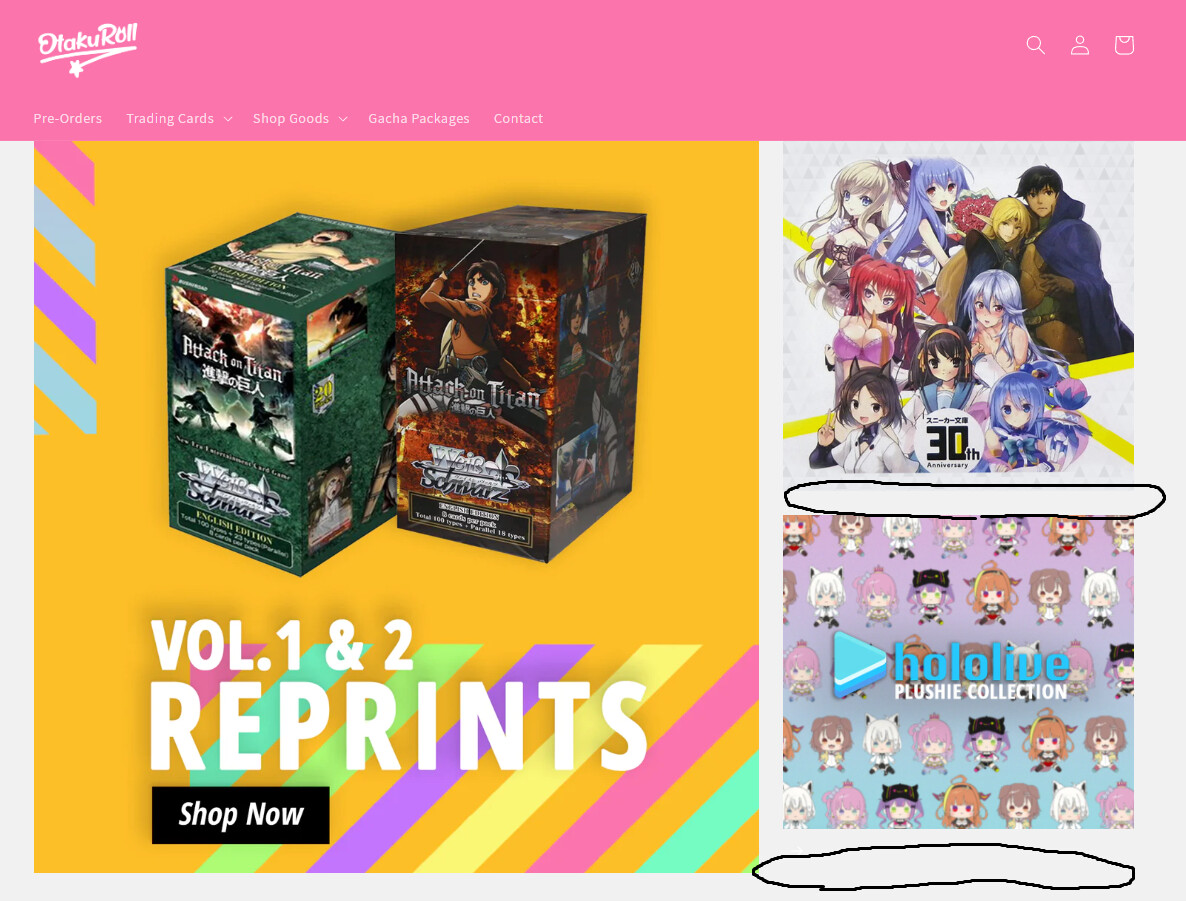

@okimiku1
Hello,
Can You Please Share Store URL..
I ended up changing the padding width of the template as a temporary fix; although, I still have the same issue.
@okimiku1
Hello,
.card--standard > .card__content .card__information {
  padding: 0 !important;
}
Add this css at the bottom of Online Store->Theme->Edit code->Assets->base.scss.liquid
Like This

Thank you so much! This worked!
@okimiku1
Its Useful so please Like and Accept solution
Thanks
Hi there,
Do you have a code that will remove the text below collection images but only on the home page not product pages. I applied this code and have now removed my product names on the product pages and am needing to correct it. Thank you