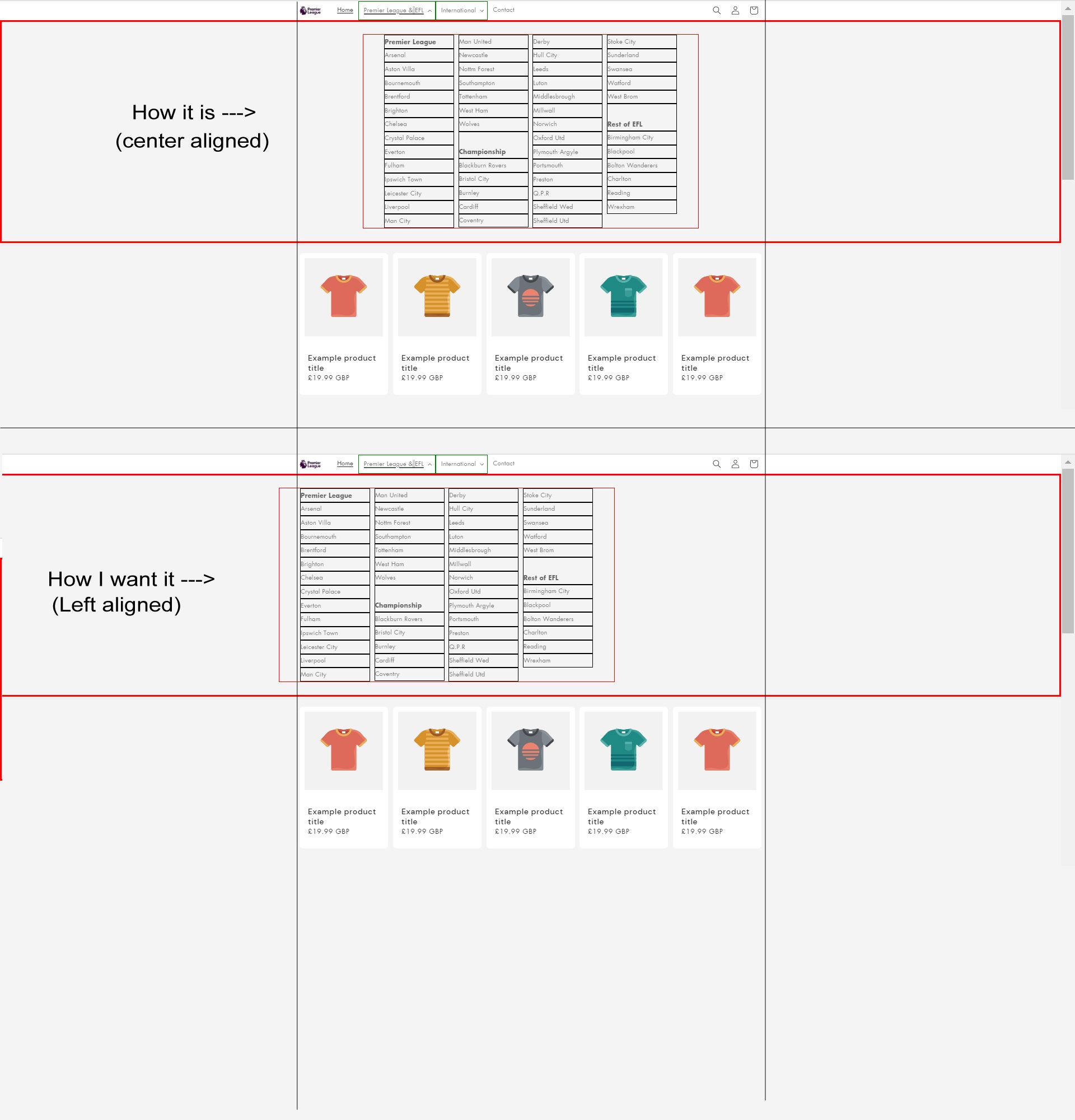
It’s best explained by looking at the picture. Previously all mega-menu items were on the same level. Now when I’ve added the individual clubs as sub-menu items to the leagues, it has broken my layout, the columns property of .mega-menu__list no longer works, the way I want. Can you fix it?

Hi @Randal ,
Step 1. Go to Admin → Online store → Theme > Edit code
Step 2. Find the file base.css.
Step 3. Add this code at the end of file
.mega-menu__list *,
.mega-menu__content {
  border: 0!important;
}
.mega-menu__list {
  border: 0!important;
  display: block!important;
  right: 0!important;
  padding: 0!important;
}
Result

If it helps you, please like and mark it as the solution.
Best Regards

Brilliant! You’re a god amongst men!
Thank you sir! It such my honor to help you  Have a great day
Thank you so much for this, it helped me too! I had been trying for ages to get a vertical list on my sub-sub menu, and it worked a treat.
I have a menu for designers, a sub-menu for A-Z, then a sub-sub-menu for the designers under each letter. The only thing is, I just have one very long vertical list, but I would like multi columns similar to the op, could you help with this please? I’d also like just a little space between before each sub-menu letter, as I think that would look better.
I’m new here, so hope I’m asking in the right place. I’m using the Trade Theme. Thank you in advance
