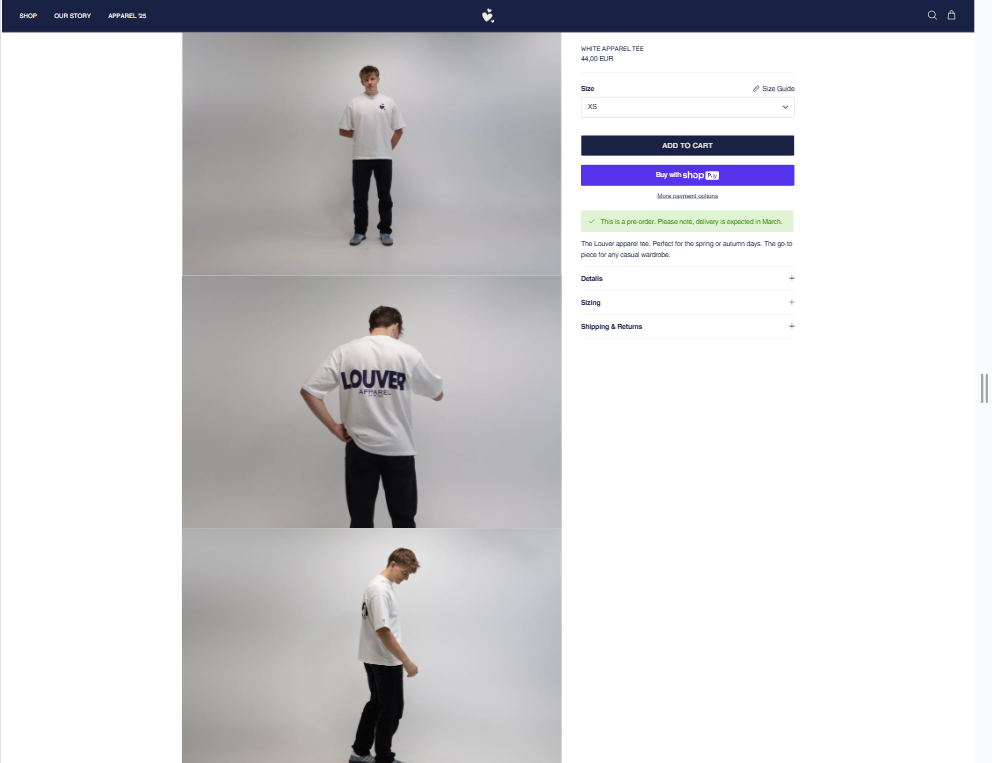
Remove white padding image layout


reference


my site

Hey there,

First of all, I am on symmetry theme. I would like my image gallery to be 2 pictures next to each other, like it is right now. But I want to remove the spacing in between the pictures so that they touch each other. How do I do this? I guess some simple code? Also I want to remove the white spacing beneath the pictures (see scuffers website as a reference of the image layout).

I have done similar before with a 1 picture layout with pictures below each other touching. Where I used this code.

.gallery–layout-columns-1 .product-slideshow:not(.slick-slider) .slide {
margin-bottom: 0;
}

Thanks in advance!

Hi
I see it normal

Hi @Louver ,

You can follow the steps here:

Step 1: Shopify admin > Online store > Customize: https://prnt.sc/XQ6IDB99kUCd
Step 2: From the left menu > Theme settings > Open Custom CSS: https://prnt.sc/ypQ7nly2wv27
Step 3: Copy the code below and paste it there

Here is the code for step 3:

.slideshow.product-slideshow > .slide {
    margin-bottom: -1px !important;
}

Here is the result:

Please let me know if it works!

Best,

Daisy

Oops, I had selected the wrong image layout. If you take a look right now you can see what I mean and what I would like to be fixed :slightly_smiling_face:

Thank Daisy, but this already worked. I had selected the wrong image layout. If you take a look right now you can see what I mean and what I would like to be fixed :slightly_smiling_face:

What I am referring to is two images next to each other without white padding in the middle of the images.