Visit the Amazon Fire TV Store

There is a newer version of this product available. Shop the latest Fire TV Stick.

Currently unavailable.
We don't know when or if this item will be back in stock.
Added to

Sorry, there was a problem.

There was an error retrieving your Wish Lists. Please try again.

Sorry, there was a problem.

List unavailable.

Fire TV Stick with Alexa Voice Remote (includes TV controls) | HD streaming device | 2020 release

4.7 out of 5 stars (205,651)

Sustainability features

This product has sustainability features recognized by trusted certifications.
Carbon impact
Carbon emissions from the lifecycle of this product were reduced compared to similar products or previous models.
As certified by
Reducing CO2

Reducing CO2

The Carbon Trust Reducing label applies to products that companies commit to lowering emissions each year, across the full life cycle of the product. The Carbon Trust produces verifications in line with global leading and independently verified standards.

Learn more about this certification


Currently unavailable.
We don't know when or if this item will be back in stock.
  • Latest release of our best-selling Fire TV device - 50% more powerful than previous gen for fast streaming in Full HD. Includes Alexa Voice Remote with power and volume buttons.
  • Less clutter, more control - Alexa Voice Remote lets you use your voice to search and launch shows across apps. Plus, control power and volume on your TV and soundbar with a single remote.
  • Home theater audio with Dolby Atmos - Feel scenes come to life with immersive Dolby Atmos audio on select titles with compatible home audio systems.
  • Tens of thousands of channels, Alexa skills, and apps - Including Netflix, YouTube, Prime Video, Disney+, Apple TV+, and HBO Max. Subscription fees may apply.
  • 500,000+ movies and TV episodes - With thousands included in your Prime membership.
  • Live TV - Watch your favorite live TV, news, and sports with subscriptions to SLING TV, YouTube TV, and others.
  • Free TV - Access over 20,000 free movies and TV shows from apps like IMDb TV, Tubi, Pluto TV and more.

Top Brand: Amazon

Highly Rated
100K+ customers rate items from this brand highly
Trending
100K+ orders for this brand in past 3 months
Low Returns
Customers usually keep items from this brand

Certified for Humans

Certified for Humans products are smart devices for non-experts. Stress-free, no patience needed devices. Connecting to Alexa is quick and easy—even the software updates are automatic. All Certified for Humans devices meet a high standard and customers love them because they’re surprisingly simple. Learn more here.

Certified for Humans

Simple to set up and use

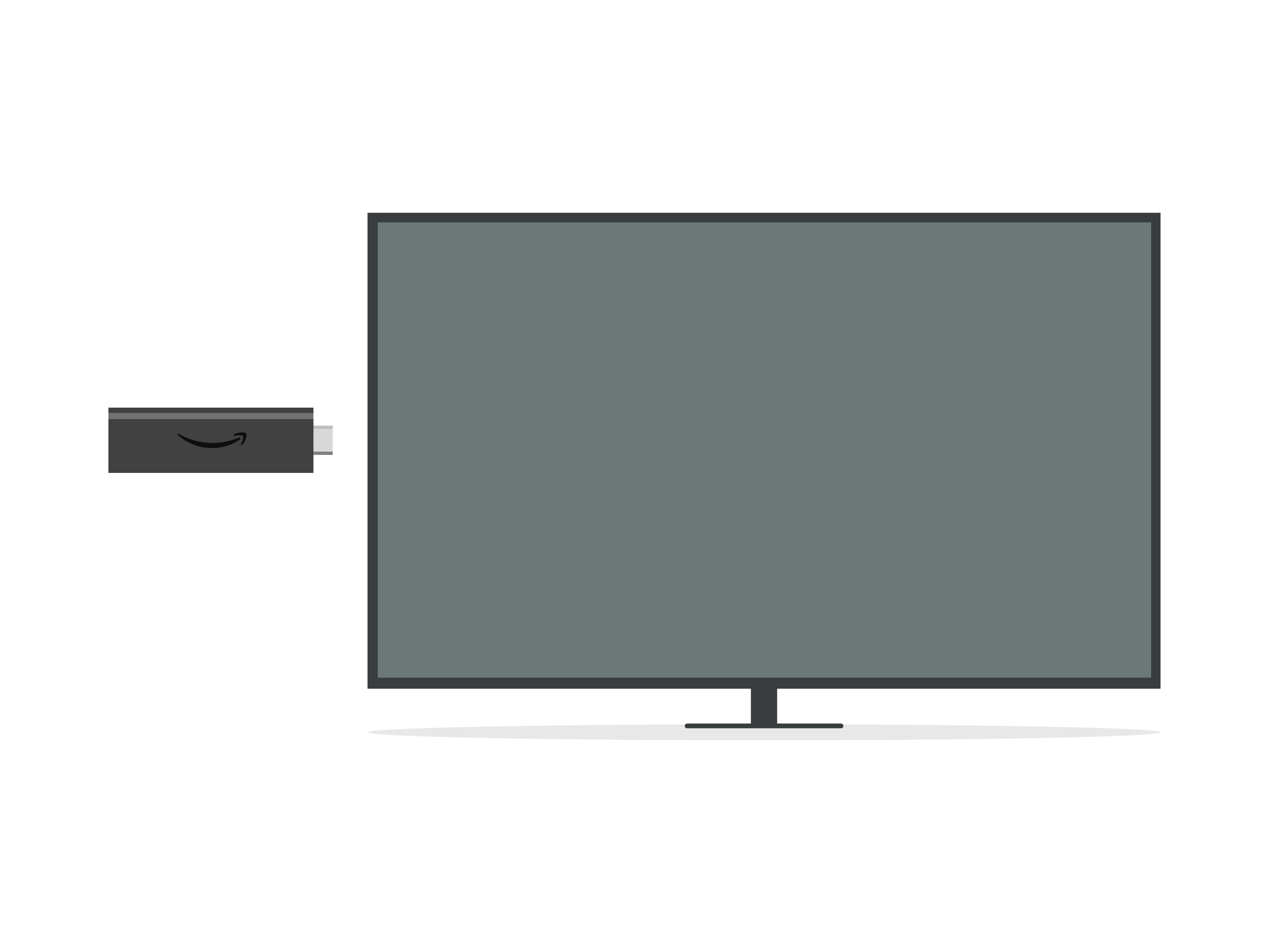
Plug Fire TV Stick directly into your HDTV

1. Plug Fire TV Stick directly into your HDTV, or use the included HDMI extender.

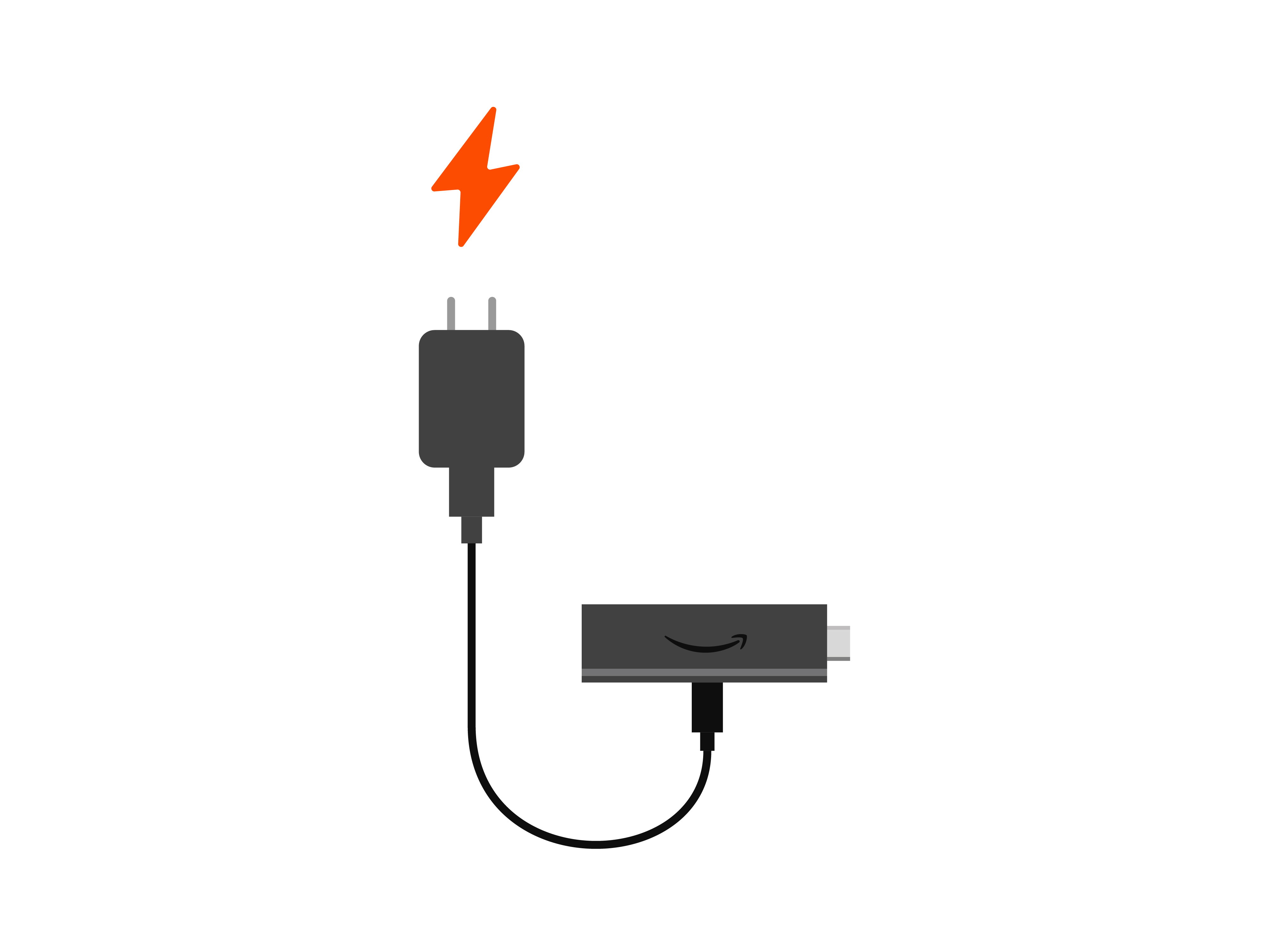
Plug into wall outlet

2. Plug into wall outlet.

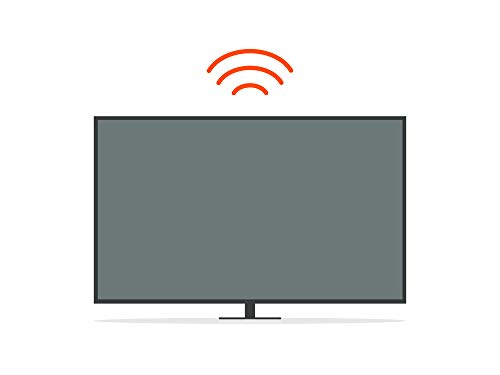
Connect to the internet and enjoy

3. Connect to the internet and enjoy.

Every day is an earth day

You don’t have to be an environmental scientist to make sustainable choices. We considered sustainability in the design of this device. Here’s how:

Materials

Materials

50% post-consumer recycled plastics in streaming media player
Cable, adapter, and remote not included.

Low Power Mode

Low Power Mode

To reduce its energy consumption, this device will enter Low Power Mode when it goes to sleep. Learn more here.

Packaging

Device Packaging

97% of this device’s packaging is made of wood fiber-based materials from responsibly managed forests or recycled sources.

Technical details

Fire TV Stick technical details

Fire TV Stick technical details

Size

3.4” x 1.2” x 0.5” (86 x 30 x 13 mm)

Weight

1.1 oz (32.0 g)

Processor

Quad-core 1.7 GHz

GPU

IMG GE8300

Storage

8 GB internal

Wi-Fi

Dual-band, dual-antenna Wi-Fi (MIMO) for faster streaming and fewer dropped connections than standard Wi-Fi. Supports 802.11a/b/g/n/ac Wi-Fi networks.

Bluetooth

Bluetooth 5.0 and Bluetooth Low Energy. Pair with compatible Bluetooth speakers, headphones, video game controllers, and more.

Voice support

Yes, with Alexa Voice Remote (included) or the free Fire TV app (available for download on Fire OS, Android, and iOS).

IR device control with included Alexa Voice Remote

The included Alexa Voice Remote can control Fire TV Stick and certain functions (such as power and volume) on a wide range of compatible IR-enabled devices, including TVs, soundbars, and A/V receivers. Note: Certain functions may not be available on some IR-enabled devices.

Cloud storage

Free cloud storage for digital content purchased from Amazon.

Ports

HDMI output, micro-USB for power only.

Audio support

Dolby Atmos, Dolby Digital, Dolby Digital+ surround sound and HDMI Audio passthrough for Dolby Digital, Dolby Digital+, Dolby Atmos.

Video content formats supported

HDR 10, HDR10+, HLG, H.265, H.264, Vp9

Output resolution supported

1080p and 720p up to 60 fps

System requirements

High-definition television with available HDMI input, internet connection via Wi-Fi, a power outlet.

TV compatibility

High-definition TVs with HDMI capable of 1080p or 720p at 60/50 Hz.

Warranty and service

90-day Limited Warranty and service included. Optional 2-Year and 3-Year Extended Warranty available for U.S. customers sold separately. Use of Fire TV Stick is subject to the terms found here.

Regional support

Note: Certain services may not be available outside the U.S.

Accessibility features

VoiceView screen reader enables access to the vast majority of Fire TV features for users who are blind or visually impaired. Screen magnifier enables viewers to zoom in and out, and pan around the screen. Text Banner consolidates onscreen text into a compact, customizable banner that appears on the screen. Watch videos and TV shows with closed captioning displayed. Use Audio Description for verbal descriptions of what is happening on the screen, including physical actions, facial expressions and scene changes. Captions and audio descriptions are not available for all content. You can also listen to Fire TV with compatible Bluetooth headphones. Learn more about accessibility for Fire TV.

Included in the box

Fire TV Stick (3rd Gen), Alexa Voice Remote 2nd Gen, USB cable and power adapter, HDMI extender, 2 AAA batteries, Quick Start Guide

Alexa Voice Remote (2nd Gen) technical details

Size

38 x 142 x 16 mm

Weight

43.4 g (without batteries)

Batteries

2 AAA (included)

Sustainability features

This product has sustainability features recognized by trusted certifications.

Carbon impact

Carbon emissions from the lifecycle of this product were reduced compared to similar products or previous models.

As certified by

Customer reviews

4.7 out of 5 stars
205,651 global ratings

Customers say

Customers find the Fire TV Stick works well out of the box, is easy to install and set up, and consider it better value than cable. They appreciate its compatibility with non-smart TVs and integration with Alexa. The remote control receives mixed feedback - while some find it awesome, others report it stops working. The device's reliability is concerning, with customers reporting it stops working quickly and crashes frequently.
AI Generated from the text of customer reviews

Select to learn more

4168 customers mention quality, 3865 positive, 303 negative
Customers find the Fire TV Stick to be excellent and better than Roku.
Great product for making a regular TV a smart TV. So good in fact that we buy them for our smart TV’s also. They make the TV’s so much easier to use.Read more
Over all a good product but u cant put a lot on the sticks like u can with the firebox. That is the only problem I have with this. Good for kids....Read more
Got this for my Mom so she could get Discovery + on her ”dumb” TV. Great device for someone who is NOT tech-savy. Very easy set up, easy to use.Read more
Love the fire stick. I can't believe all the money waisted on cable throughout the years! Streaming quality is great. I have them on 4 tv's.Read more
4123 customers mention functionality, 3644 positive, 479 negative
Customers find that the Fire TV Stick works very well, performing reliably right out of the box.
Its easy to install and works great. If you want to stream any of your favorites shows or movies and you don’t care about 4K, then this is perfect.Read more
Works well. easy to set up. I like that even Though-it’s an old TV with no Bluetooth capabilities still able to use Bluetooth device with fire stickRead more
So easy to pair this with a smart tv. Works perfectly. Volume control is the best feature. Be sure to buy a silicone sleeve so it doesn't get lost.Read more
...It works very well, I don't have a single complain and the only thing I wanna say to you, is to stop thinking about it and go buy because you won't...Read more
3856 customers mention ease of use, 3673 positive, 183 negative
Customers find the Fire TV Stick easy to use and set up, describing it as intuitive and simple to connect.
Easy to use and understand directions. Worked perfectly from the start. Wish I had more internet options bc it blows through some data pretty quickly.Read more
It was easy to set up and even easier to use. Alexa does a great job with voice recognition and that feature makes using the Fire Stick even easier.Read more
From simple and quick installation to ease of use, my Fire TV Stick operates flawlessly on our bedroom television. My wife is very happy now!...Read more
Very easy to use. Has 4k streaming. Voice works pretty well. I use this over my ps4, roku, and smart TV because it works with most streaming apps.Read more
1934 customers mention easy setup, 1853 positive, 81 negative
Customers find the Fire TV Stick easy to set up.
Easy to install and performs flawlessly. I do not subscribe to cable or satellite service. The Firestick is all I need! I have one on each TV I own!Read more
...I was getting tired of using my phone as a streaming device. Easy set up. I have a Mitsubishi projector TV and was going to get a "smart" TV. Well....Read more
...Quick and easy setup and I can watch anything I want. I have not yet connected to Alexa or voice recognition but I like the option to do this later.Read more
Goodbye Cable TV! Hello Amazon Fire Stick! One word... easy! Easy to setup and easy to navigate! Looking forward to savings! Give it a try!Read more
1530 customers mention value for money, 1396 positive, 134 negative
Customers find the Fire TV Stick to be well worth the price, noting it's much cheaper than cable, and one customer mentions it eliminates the need to buy a smart TV.
...The Amazon Fire Sticks were a great price (didn't require the 4K version which are a bit more expense) but I can't imagine any better clarity then I...Read more
...up and use....takes home entertainment to another level....such a great value....enhances your smart TV... so glad I took a chance initially out of...Read more
The fire stick is definitely worth the money. The video and stream quality is better than the regular view on my tv lol. Highly recommend!Read more
Great Buy until it started looping start up and it can't be fixed.Read more
897 customers mention compatibility, 676 positive, 221 negative
Customers find the Fire TV Stick compatible with various devices, working well with TVs and Alexa.
I use the firestick in the garage. It is a great addition and since I have cable it works as an additional source of all kinds of information and...Read more
Works well with my TV. Easy to set up. Voice recognition is accurate.Read more
Works great with my tv. New layout of viewing content and apps on firestick main page is much improved....Read more
Excellent Product, but does not work with SpectrumRead more
1093 customers mention remote control, 671 positive, 422 negative
Customers have mixed experiences with the Fire TV Stick's remote control, with some finding it awesome and simple, while others report that it no longer works or received defective units.
...Really user friendly. Love the remote. Simple to use and can control on/off and volume.Read more
...Got another one for our spare bedroom and the remote stopped working after having it for 4.5 months (also barely used in those 4.5 months) I reached...Read more
...It's super affordable, compact, performs well, has a great remote, gets plenty of the apps, has voice support, and you can find lots of useful...Read more
...headphone thru Bluetooth, make the picture better, nice interface, good remote and price is right.Read more
1046 customers mention reliability, 182 positive, 864 negative
Customers report significant reliability issues with the Fire TV Stick, noting that it stops working quickly, freezes, crashes frequently, and randomly restarts itself.
Don’t like this version remote from it stopped working and I barely had it for a month Amazon ask me to send it back big inconvenience to my family...Read more
About 7 months in and it freezes. I assumed it was my wifi but no cause when im on the home screen it doesn't show the pictures of the apps or...Read more
Ridiculous. Naturally it breaks and stops working right as my warranty expires. Amazon extremely unhelpful in fixing the problem or offering a refund.Read more
...It doesn’t give a message like loading or buffering it just freezes and never recovers, I have to keep finger on home to get back home, not sure if...Read more
I love the huge customizable library of content.
5 out of 5 stars
I love the huge customizable library of content.
This was the best thing that I could have bought for myself. I love watching movies and a lot of the old TV shows as well. I downloaded several free apps like Pluto TV, Tubi, Crackle and more that show a ton of good movies and shows for free. The streaming quality is very good but that also depends on the quality of your internet service, but so far I'm loving it. And since I have a Amazon Prime account they have so many new movies and TV shows included with Prime for you to watch with content constantly being added. It has Alexa voice control that makes looking for your favorite content much easier and faster. It was a having a little bit of a hard time at first with recognition but it seemed to learn and improve over time. I like all the built-in features like being able to save your favorite content to watch later. The only thing I'd like to see is an expanded memory storage so you can add more apps without sacrificing performance quality.
Thank you for your feedback
Sorry, there was an error
Sorry we couldn't load the review

Top reviews from the United States

  • 5 out of 5 stars
    Great little device
    Reviewed in the United States on June 4, 2021
    Brief content visible, double tap to read full content.
    Full content visible, double tap to read brief content.

    So worth the money. Basically it's virtually free cable tv. Prime video is awesome for on demand movies but the free plutotv and Tubi apps quadruple it's value. The tiny remote is perfect, it only has the buttons you need. It learned to control the tv no problem. Here is where we noticed possibly the only down side. So say you wanted to turn on the tv and play, say a workout video from your DVD player. When you hit power on your tv remote it also turns on the fire stick. Granted this is perfect for most people. Unless you've got a monthly cap on your internet. Unless you cycled through your tv inputs to see that the fire stick was on, you'd never know. So we plugged in the fire stick to a switched power strip. So we can just depower it if we wanted to play video games or DVDs and such.

    The hook up is as quick as you can unbox the thing and connect the wires. Type in your wifi password then log into your Amazon account and you're all good. I really can't recommend this enough. It works perfectly and it's about as user friendly as anything I've ever tried. It will honestly take you longer to figure out your wifi and amazon passwords. Oh, and we had the apps already installed in the tv but they work and work and grind to buffer or play anything. The fire stick must have a much bigger memory in it that eliminates the painful buffering / loading process that chokes the tv down to unwatchable. The fire stick does all this effortlessly.

    One person found this helpful
    Sending feedback...
    Thank you for your feedback.
    Sending feedback...
    Thanks, we'll investigate in the next few days.
  • 5 out of 5 stars
    Better quality as older bigger units.
    Reviewed in the United States on November 29, 2020
    Brief content visible, double tap to read full content.
    Full content visible, double tap to read brief content.

    It works well, and provides a decent picture (improved somewhat when I supplied it a wired connection to my router). It is fairly easy to set up initially, recognizing your tv for the remote, etc. I may be missing something but I have another fire TV device in the house, with all of the passwords for the various streaming suppliers, and you still have to go through and set up each service individually. So far operation has been fairly flawless and any glitches has been in my data connection, not the stick. Only issue is so many of the Alexa enabled devices can only connect on a 2.4 Ghz connection, and this you want to set up on a 5.0 ghz (for speed of signal) Since I have this on my primary router, and all of my Alexa devices on a separate 2.4 ghz router, not all of the Alexa enabled devices are as integrated as they could be. This has become more of a problem, as most modems/routers use a combined signal system, automatically switching between 2.4 and 5 ghz depending on signal strength and such, where most Alexa enabled devices require a specific 2.4 channel. (this is changing as more of the accessories are becoming 5.0 capable) I fixed this by adding a second older router as a hub, that has separate addresses for each network speed. Maybe a dedicated hub might work better with integration.

    Sending feedback...
    Thank you for your feedback.
    Sending feedback...
    Thanks, we'll investigate in the next few days.
  • 5 out of 5 stars
    Awesome product!!
    Reviewed in the United States on December 4, 2020
    Brief content visible, double tap to read full content.
    Full content visible, double tap to read brief content.

    I don't usually write reviews but I had to for this one. First off I seen a lot of one-star reviews and I wanted to touch base on those the back of the remote cover took me less than a second to take off it was easy no problem anybody that had a problem has difficulties with electronics period second it is mostly for subscription services it has some or very little free services YouTube Tubi TV etc. TV/cable is not free. Third it advertises if you actually read it it does not support 4K it says that in the description and fourth the person who had it in Spanish and couldn't switch it to English must have been inpatient and was just pressing buttons rapidly at the startup it gives you a language option and it does come with 2 AAA batteries in the description it says batteries sold separately but two AAA batteries came in the box so now that I got that out of the way my own review it works very well I have a smart Vizo TV for my room and we have a regular HDTV for the living room I have to say the fire stick works better and faster than my smart TV loads instantly within 2-3 seconds and there is no buffering of the Video quality the voice command is a cool feature and you can control your TV power on/off and turn the volume up/down with the fire stick remote and the cool part is I didn't have to put in any code for the TV I just had to select my brand of TV 😁 I can't find any downside to it if I do I'll be back to edit my review but so far it is a great product five stars out of five!

    Sending feedback...
    Thank you for your feedback.
    Sending feedback...
    Thanks, we'll investigate in the next few days.
  • 5 out of 5 stars
    GINORMOUS MIRACLE IN A SMALL PACKAGE
    Reviewed in the United States on December 10, 2020
    Brief content visible, double tap to read full content.
    Full content visible, double tap to read brief content.

    This thing is so easy to install and use that my 88-year old, admittedly technically challenged mom can now easily access Netflix, Amazon Prime and You Tube on her TV. We tried the google thing, but couldn't get past the technical issues. And forget the lack of search capabilities on it! The Amazon stick basically installs itself! She can switch the TV on and off, turn the volume up and down, and watch what she wants easily and quickly. For someone with arthritic fingers and mobility issues, this stick is a godsend! LOVE IT! If I had the power to make two changes, one would be to have some kind of finger indent to ensure the user has the stick pointing the right way. The other is to make it more transparent or "not-so-easy" when she accidentally adds a premium channel or service. She accidentally signed up for Starz and a couple of other channels without realizing that there was a cost involved. It was rather difficult to find the charges on her Amazon account, and I didn't like the extra step it took to undo what she accidentally did. Other than that, however, I'm ecstatic that she can enjoy The Crown, Mrs. Maisel and all the other great programming on Amazon and NetFlix, especially while she's stuck at home under the COVID restrictions. HOORAH FOR AMAZON!!!

    Sending feedback...
    Thank you for your feedback.
    Sending feedback...
    Thanks, we'll investigate in the next few days.
  • 4 out of 5 stars
    Nice Firestick that allows me to watch TV and movies, but many features don't seem to work.
    Reviewed in the United States on January 30, 2021
    Brief content visible, double tap to read full content.
    Full content visible, double tap to read brief content.

    Edit:

    I managed to download the game by removing nearly every other app to free up the 2.5 GB required, but that somehow leaves me with just about 250+ MB of storage left over, which is not sufficient to download even Netflix, let alone anything else. An "insufficient storage" warning pops up if I try. All I have now are the stock apps (which you can't uninstall, not even the Kids channel), YouTube (and YouTube TV, which comes with it), and this game which is not that large in itself. I checked the storage and it does still note that there is no external storage detected...which means I CAN install an external storage device somehow, but I can't seem to find out how.

    There is a spare USB port on my (non-smart) TV, but I've been told that the Firestick will not recognize it if you add a storage device there, so how do I do it? The Firestick wouldn't indicate that you can add external storage devices if you can't, right? That's just pure false advertising, so I'm sure there's a way to do it. If not, it was a COLLOSALLY stupid decision by Amazon to only add EIGHT GB of internal storage, of which the user gets about four-ish to play around with, which is not remotely sufficient for more than about four or five apps (or just two, if the other is a game more than about two gigabytes or so in size). I'm also a bit puzzled as to why I can't simply save these apps (Netflix and the rest) to the supposedly "unlimited Prime cloud storage" I have, as these are all purchased through Amazon anyway.... I haven't tried buying another movie or something since installing the game and subsequently running out of internal storage, so I hope those, at least, save to the cloud. :/

    Frankly, I now give this device about a 3.2 out of 5 and am less than impressed by its capabilities. It does still play movies and TV shows well, though.

    Original review:

    Overall, this is a good purchase, but there are some questions I have. I purchased the 2020 Firestick and it's been doing its job for the most part. It plays movies and TV shows without a hitch (TV which has been bought and downloaded, but I've also watched a bit of live TV and that seems to work fine, as well). However, the volume control doesn't work at all, requiring me to use the actual TV's remote to change that (and the power button also does nothing, so I use the TV remote for that, too), so I'm not sure what's gone wrong there.

    More importantly, however, the storage already appears to be full, as it won't let me download a game (Star Wars: Knights of the Old Republic), saying there is no external storage detected and refusing to download it to the Stick itself or the cloud (where I'd assume everything else is already stored). I checked the Stick and there is no SD slot to expand storage. Would plugging a USB stick into the one USB port I have on my TV work? Would the Firestick detect that as a storage device?

    I've already tried searching through the settings to find a way to switch over to cloud storage and bizarrely cannot find anything on the matter whatsoever. I also went online to check for a solution and can only find dodgy sites recommending VPNs to "illegally" download files to a device I already own...which I know can't be the right way to do it, as this very page claims that unlimited cloud storage is included in the purchase of the Stick! What's going on here?

    How do I access the included cloud storage to be able to download the game I just bought? According to the storage settings, I still have nearly four or so GB left, as the device doesn't seem to save anything to it (movies and TV is saved to the cloud, I guess). If you can't download games and stuff to the device or anywhere else for that matter, why allow people to buy them??

    3 people found this helpful
    Sending feedback...
    Thank you for your feedback.
    Sending feedback...
    Thanks, we'll investigate in the next few days.
  • 5 out of 5 stars
    Wish we cut cable a long time ago!
    Reviewed in the United States on December 20, 2020
    Brief content visible, double tap to read full content.
    Full content visible, double tap to read brief content.

    We were very skeptical about leaving cable and trying this but I'm so happy we did! We had it hooked up in less then 5mins and were ready to go, it was that easy! We already had prime so it gave us a code to go online and connect it to our account which was quick and easy. It loaded everything right from there so our library and likes were loaded automatically. We did choose to sign up for youtube tv so we'd have the closest cable experience that we were used to and we love it! The only downside is just like with all Amazon devices you can't use google, just bing or Firefox which does suck if you want to download a search engine as well. We use our phone/tablet for that so we're fine but I wanted to mention it so anybody else is aware beforehand. We love the fact that everything is at our fingertips with this and we're saving over $120 a month! It also let's you record your favorite shows so you're not losing out on cable dvr convenience. I'm also happy to have my ID channel back as there was a financial disagreement between them and my cable company so they took it out of their line up. I really like that I am able to pick which channels work for me rather than having alot of international channels and tons of sports channels forced on you costing you a fortune just to get your normal channels! This allows you to be in control of what works for you and your family without paying a fortune for some "package" someone else decided you have to buy. There is also parental controls as well as setups for you to give separate accounts to different family members so whoever is watching has everything setup just the way they like it. This way you don't have to scroll through looking for your favs and you don't have to keep approving everything if you setup parental controls, just give them a kids account and everything is automatically separated. Definitely wish we did this sooner!

    Sending feedback...
    Thank you for your feedback.
    Sending feedback...
    Thanks, we'll investigate in the next few days.
  • 5 out of 5 stars
    Throw your Apple TV away
    Reviewed in the United States on November 15, 2020
    Brief content visible, double tap to read full content.
    Full content visible, double tap to read brief content.

    This is a great product, easy to use and to install. I have been an avid Apple fan since G-5 computers and have been reluctant to part from their eco system (I have over 1,100 movies and over 10,000 TV shows). This comes with an Apple TV app that actually works better then an Apple TV itself, plus it has more free content — you can buy almost 4 of these for a basic version of Apple TV. No contest, if the price was reverse I would still recommend Amazon Fire hands down.

    Netflix app works much better as does YouTube (haven’t tried much else yet). If you purchase the usb power option this entire unit hides behind TV so you do not need to hide a power cord or HDMA cord which is great especially if your TV is mount on wall

    I can not believe I waited so long to try. I am throwing away my other Apple TV’s (6) and replacing with Amazon Fire. I will update this if I experience any hardware or other issues in the future but for now I am extremely pleased (and surprised) with Amazon Fire

    12 people found this helpful
    Sending feedback...
    Thank you for your feedback.
    Sending feedback...
    Thanks, we'll investigate in the next few days.
  • 5 out of 5 stars
    Fantastic device
    Reviewed in the United States on May 2, 2021
    Brief content visible, double tap to read full content.
    Full content visible, double tap to read brief content.

    If you're like me, you had a rude awakening to the new tricks TV makers are pulling now. The smart TV you bought three or more years ago is no longer getting app updates. So if you want to get content from newer services like Disney Plus or HBO Max, you are out of luck if you stick with your old TV, which might otherwise be a perfectly good TV still and still has a nice picture.

    I suppose with TVs becoming computers, I shouldn't be surprised by the fact that the makers are treating them as such, and expecting you to upgrade every few years. But when you spend a big bucks on a big TV, it's a bummer to know that in a couple years it is no longer supported.

    Amazon to the rescue. These handy HDMI sticks will revitalize an old TV. I had recently repaired an old LG a friend donated to me. It's a big beautiful TV and I just couldn't throw it out even though it wasn't showing a picture anymore. So I fixed it, but being from 2013, it didn't have built-in Wi-Fi, the apps were old, and you couldn't get newer apps for it. The Fire TV Stick 2020 for standard HD was the perfect solution for every single issue I just mentioned.

    First, it provides Wi-Fi connectivity. And it works pretty well. My comparisons from experience are the Boxee Box (a failure: the developers abandoned everyone after taking their money), and the Tivo 4K Stream. The Tivo is actually really nice, when it works. It has problems with consistent performance and buffers a lot (possibly my Wi-Fi's fault) and its apps crash a LOT (not my fault).

    So far the Amazon Fire TV Stick blows them all away. I have to admit the Boxee remote with the integrated keyboard on back was nice, but in every other respect Fire TV blows the others away. It's super affordable, compact, performs well, has a great remote, gets plenty of the apps, has voice support, and you can find lots of useful accessories for it.

    My Fire TV Stick is running on the same Wi-Fi as the Tivo 4K Stream and rarely buffers and I've not had app crashes. Since the TV I have it on is regular HD, it's a perfect match. Amazon does have a 4K Fire TV Stick if your TV supports the higher resolution.

    I really want to support competition, but so far the Amazon competitors aren't being competitive! If you have an older TV like mine with an HDMI port, but doesn't have Wi-Fi or can't get the newer apps, this is the answer.

    One person found this helpful
    Sending feedback...
    Thank you for your feedback.
    Sending feedback...
    Thanks, we'll investigate in the next few days.

Top reviews from other countries

    Translated by Amazon
    See original
  • 5 out of 5 stars
    Perfekt
    Reviewed in Germany on March 20, 2021
    Brief content visible, double tap to read full content.
    Full content visible, double tap to read brief content.

    So konnte ich für meine Eltern aus einem alten Fernseher einen Smart-TV machen.

    Läuft flüssig und so viele Möglichkeiten nun damit. Kinderleichte Bedienung auch durch Alexa.

    Sending feedback...
    Thanks, we'll investigate in the next few days.
    Translated from German by Amazon
    See original
  • 5 out of 5 stars
    Excelente dispositivo
    Reviewed in Spain on March 16, 2021
    Brief content visible, double tap to read full content.
    Full content visible, double tap to read brief content.

    Excelente dispositivo, muy contento y posee gran variedad de cosas

    Sending feedback...
    Thanks, we'll investigate in the next few days.
    Translated from Spanish by Amazon
    See original
  • 5 out of 5 stars
    Super consigliata
    Reviewed in Italy on May 9, 2021
    Brief content visible, double tap to read full content.
    Full content visible, double tap to read brief content.

    La Firestick è una garanzia. Rende le TV smart e quelle che sono già smart più smart. È fluida e veloce nell'utilizzo.

    Sending feedback...
    Thanks, we'll investigate in the next few days.
    Translated from Italian by Amazon
    See original
  • 5 out of 5 stars
    Espectacular
    Reviewed in Spain on March 9, 2021
    Brief content visible, double tap to read full content.
    Full content visible, double tap to read brief content.

    . Me ha encantado la rapidez y calidad

    Sending feedback...
    Thanks, we'll investigate in the next few days.
    Translated from Spanish by Amazon
    See original
  • 5 out of 5 stars
    Maybe the best stick or media device on the market…
    Reviewed in Germany on October 26, 2021
    Brief content visible, double tap to read full content.
    Full content visible, double tap to read brief content.

    Maybe the best stick or media device on the market…

    Sending feedback...
    Thanks, we'll investigate in the next few days.